Why is my plane so hard to control in Bumpy Flight?
Almost always because a key is being held. The aircraft keeps momentum after every input, so long presses over-correct. Tap each key and release it, then wait for the plane to respond.
Flying
The full keyboard map, why Ctrl does double duty, and the tap-don't-hold habit that keeps flights alive.
Updated
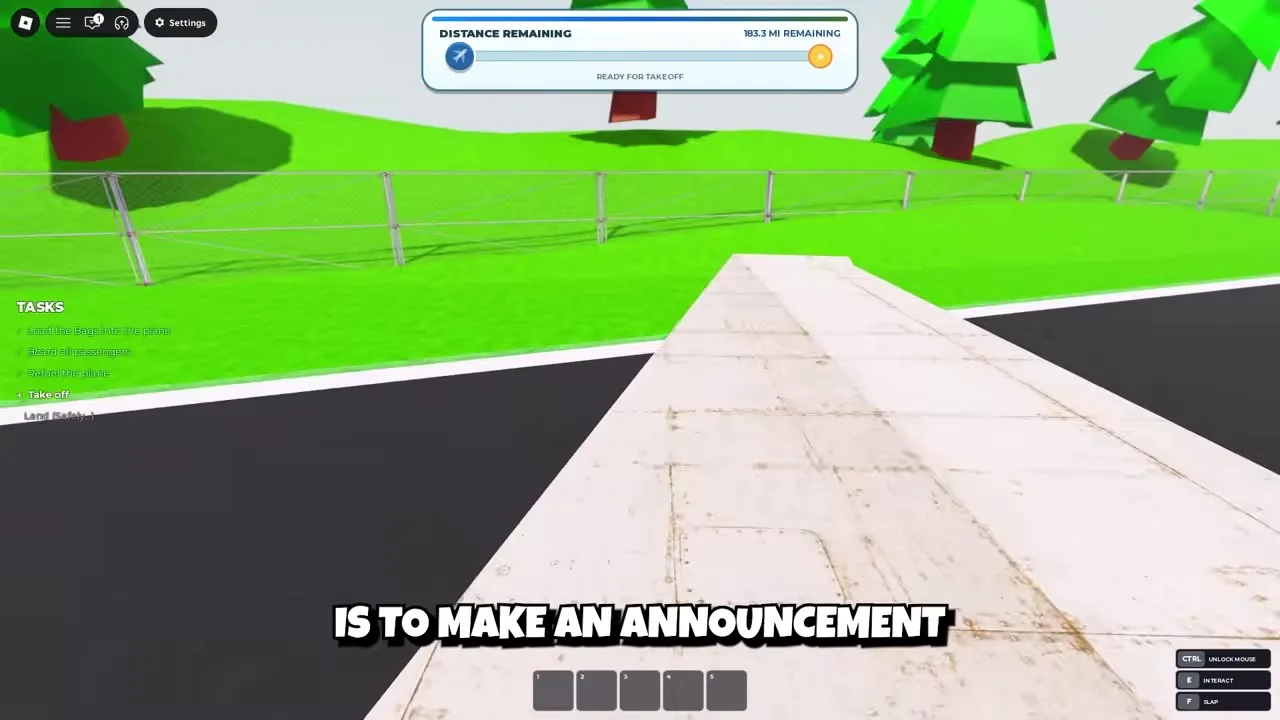
Bumpy Flight ships with a deliberately small keyboard map. The official game description lists every binding you need to fly, and nothing is hidden behind settings menus.
| Key | Action |
|---|---|
| W | Pitch up (raise the nose) |
| S | Pitch down (lower the nose) |
| A | Turn left |
| D | Turn right |
| Shift | Increase throttle |
| Ctrl | Decrease throttle + unlock the mouse |
Ctrl is the one binding that trips up new pilots: it reduces throttle while you are flying and releases the mouse cursor whenever you need to click a cabin menu, grab luggage, or use the PA system. The official description calls this out with "CTRL TO UNLOCK YOUR MOUSE" at the top of the game page.
In practice this means you should only touch Ctrl when you want one of those two things. If you tap it while cruising to free the mouse, your plane also starts slowing down — check the throttle before you wonder why the nose is dropping.
The single most common crash cause reported by experienced players is holding a key. Bumpy Flight responds to every input with a moment of momentum, so holding W turns a gentle climb into a stall and holding A turns a small correction into a spiral.
Fly in taps: press, release, wait half a second for the aircraft to respond, then adjust again. It feels slow for the first two minutes and saves every flight after that.
A clean takeoff needs no skill beyond rhythm. Hold Shift to build speed along the runway, tap W once the plane feels light, then ease off to a shallow climb. Everything the community describes as "hard to control" is almost always a held key during this phase.
Keep the climb shallow until you have altitude. A steep early climb is how you meet the stall mechanic for the first time.
Once airborne, cruise at a steady pitch and watch the DISTANCE REMAINING panel instead of the islands below — the indicator is the truth about progress, observed in gameplay footage of the official tutorial.
Players report a maximum altitude ceiling; above it, flying straight toward the destination beats following the terrain, because the DISTANCE REMAINING counter (shown in miles, e.g. 183.3 MI REMAINING) keeps falling on any heading that points at the airport.
If the nose pitches too steeply and the plane starts dropping, do the opposite of instinct: level the wings, release every key, and let speed rebuild before easing back into a climb. Adding more W during a stall deepens it.
Recovery is just three beats — release, level, gentle climb. Practicing it once on a throwaway flight makes the rest of this game dramatically easier.
Start descending early, reduce throttle in steps, and line up with the runway visually before the airport signage appears. Community guides consistently report that arriving high and fast is the number one cause of failed landings, not the touchdown itself.
Cut throttle to near-idle over the runway, tap S in small taps, and let the plane settle. If a landing goes wrong, the run ends at the YOU DIED screen — no partial credit, which is why the descent is worth practicing.
FAQ
Almost always because a key is being held. The aircraft keeps momentum after every input, so long presses over-correct. Tap each key and release it, then wait for the plane to respond.
Two things: it decreases throttle, and it unlocks the mouse cursor so you can click cabin menus, luggage, and announcement panels. Tap it only when you want one of those two effects.
Players report a maximum-altitude ceiling where the plane stops climbing. Up there, fly straight at the destination and let the DISTANCE REMAINING counter be your guide.